Image to CSV: The Complete Guide
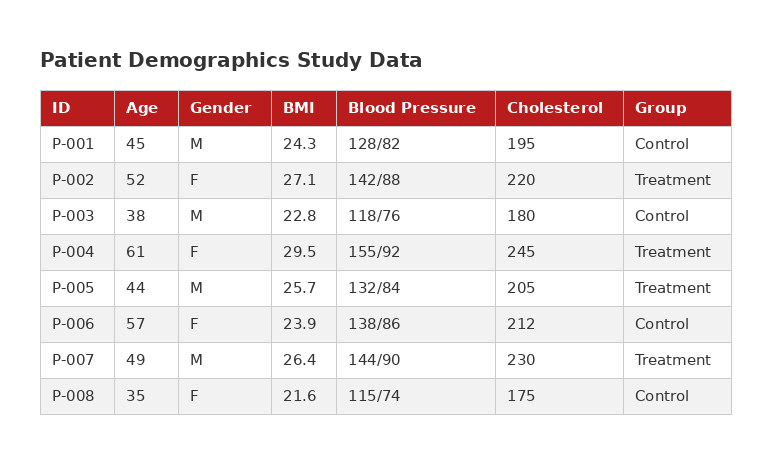
Converting an image to CSV means extracting structured table data from pixels — reading the text, identifying the rows and columns, and outputting it as comma-separated values. Here's everything you need to know.
What is image-to-CSV conversion?
It's a two-step process. First, OCR (optical character recognition) reads the text in the image. Then, table structure detection identifies which text belongs to which row and column. The result is a structured grid of data that can be saved as a CSV file.
When do you need it?
- You received a screenshot of a financial report and need the numbers in a spreadsheet.
- You're looking at a table on a website that doesn't let you copy or export the data.
- You have scanned paper documents with tables (invoices, receipts, lab results).
- You're pulling data from a dashboard or application that has no export feature.
Free tools for image-to-CSV conversion
TableGrab (Chrome extension)
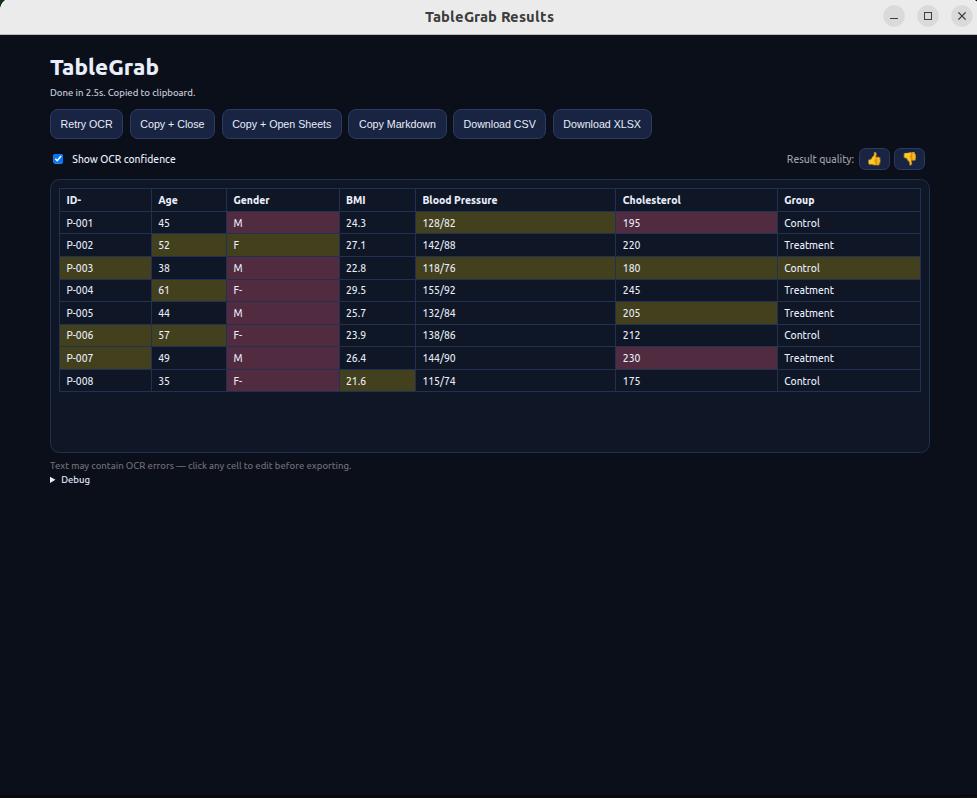
The fastest option for day-to-day use. Screenshot any table on your screen and get CSV output in seconds. Includes a preview where you can edit cells before downloading. Free tier gives you 15 extractions per day.
Skip the manual work — extract tables in seconds
Get TableGrab FreeFree tier included · No account required
Python + Tesseract
For developers: use pytesseract for OCR and a library like img2table for structure detection. This gives you full control but requires setup and coding. Accuracy depends heavily on image quality and table complexity.
Google Vision API
Google's Cloud Vision API offers strong OCR but limited table detection. You get text with bounding boxes and need to write your own logic to reconstruct the table structure. Pricing is per-image.
Tips for accurate image-to-CSV conversion
- Resolution matters — higher resolution images produce better OCR results. If you're screenshotting, zoom in first.
- Crop to the table — remove surrounding text, headers, footers, and page numbers. The less noise, the better the extraction.
- Contrast helps — dark text on a light background extracts best. If you're photographing a printed document, ensure good lighting.
- Always verify — no OCR tool is 100% accurate. Always review the extracted data before using it, especially for numbers and special characters.
CSV vs. other formats
CSV is the most universal tabular format — it works with Excel, Google Sheets, databases, Python, R, and virtually every data tool. If you need formatting or multiple sheets, XLSX (Excel) is better. For quick pasting into a spreadsheet, TSV (tab-separated values) is most convenient. TableGrab supports all three.