How to Convert a Screenshot to a Spreadsheet
Screenshots are everywhere — Slack messages, report dashboards, web pages you can't export from, legacy systems with no API. When the data you need is locked in a screenshot, here's how to get it into a spreadsheet.
Why screenshots are tricky
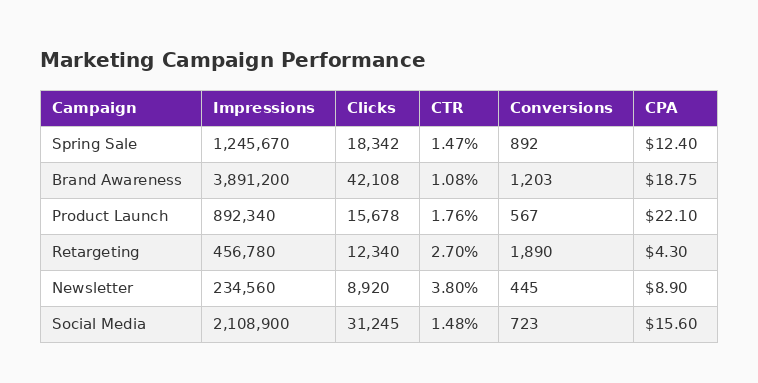
Unlike a CSV file or a web page, a screenshot is just pixels. There's no underlying data structure — no rows, columns, or cell values. To extract data from a screenshot, you need optical character recognition (OCR) combined with table structure detection.
Option 1: Google Docs OCR
Upload the screenshot to Google Drive, right-click, and open with Google Docs. Google will run OCR and give you the text. However, it won't preserve table structure — you get a flat block of text that you'll need to manually reformat into columns.
Best for: Extracting raw text, not structured table data.
Option 2: Online OCR tools
Services like OnlineOCR.net or i2OCR can extract text from images. Some attempt table detection, but most produce plain text or poorly formatted results. You also need to upload your image to a third-party server.
Best for: Simple text extraction when privacy isn't a concern.
Option 3: TableGrab (screenshot to spreadsheet in seconds)
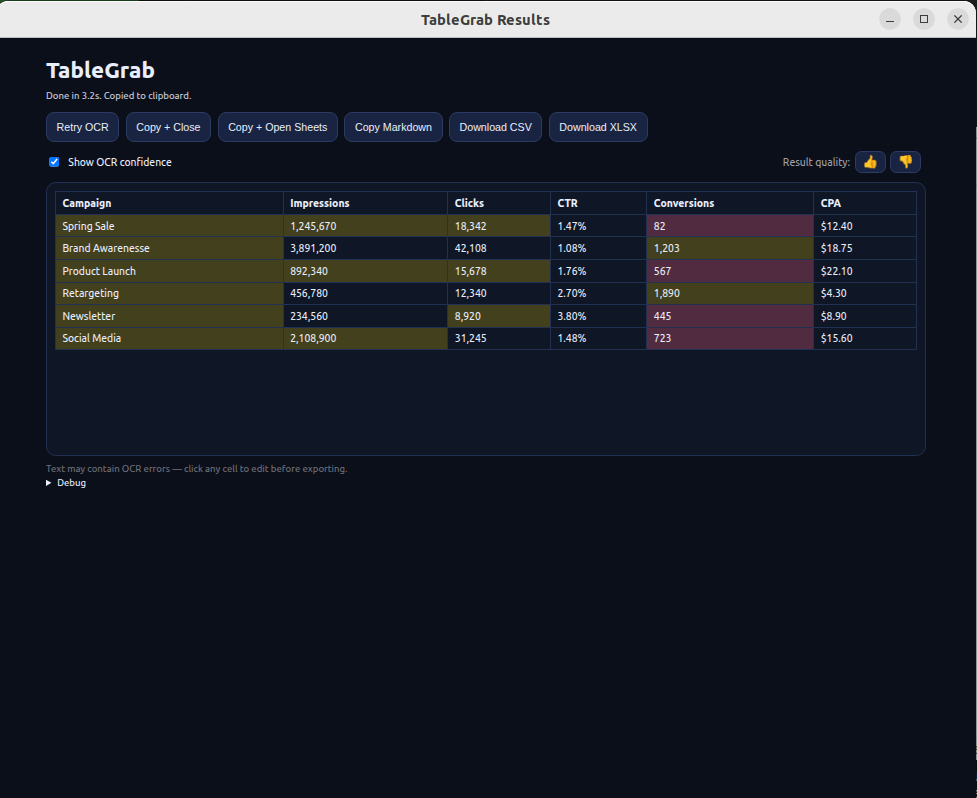
TableGrab is purpose-built for this. It combines OCR with intelligent table structure detection — identifying rows, columns, headers, and cell boundaries from the visual layout of the table.
- Click the TableGrab extension icon in Chrome.
- Draw a box around the table on your screen (or use auto-detect).
- Review the extracted data — edit any cells if needed.
- Copy as TSV (paste directly into Google Sheets) or download as CSV/XLSX.
The whole process takes about 5 seconds per table.
Skip the manual work — extract tables in seconds
Get TableGrab FreeFree tier included · No account required
Common use cases
- Dashboard reports — extract KPI tables from analytics dashboards that don't have export buttons.
- Legacy systems — pull data from old software that only renders tables on screen, with no CSV export.
- Shared screenshots — when a colleague sends a screenshot of data in Slack or email instead of the actual file.
- Web pages — grab tables from websites that block text selection or use JavaScript rendering.